Six plumbing website examples for repair calls and water heater estimates
Five of the six plumbing companies we checked put a tap-to-call link on the first mobile screen. The more revealing difference was the estimate button. On one site it opened the phone dialer, on another it jumped to a form, and on a third it opened a separate contact page. Try the two designs below to see which route fits a leaking sink and which fits a planned water heater replacement.
Compare the two mobile designs ↓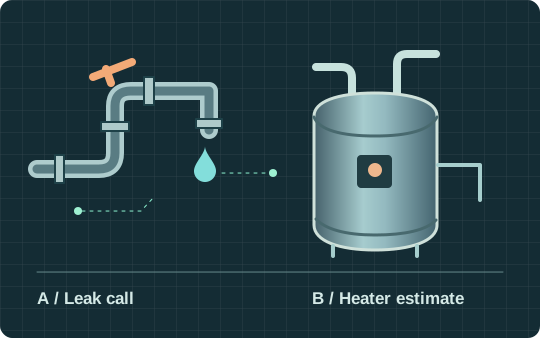
PracticalMode ·
What six plumbing websites put within reach on a phone
On November 3, 2026, we examined six selected plumbing companies’ websites, three serving Columbus, Ohio, and three serving Indianapolis, Indiana. From the search results for each city, we took the first three distinct contractor sites that described both residential repairs and water-heater work. We skipped directories and started every test on the homepage. We set a 390 × 844 mobile viewport, inspected the captured first screen, then looked for a way to request help with a water heater. “First screen” means a visible, reachable link within the captured view before scrolling, opening a menu or dismissing a banner. We read the actions and inspected their destinations. We made no calls, sent no forms and reserved no appointments.
- 6 of 6
- had a phone link somewhere on the page
- 5 of 6
- showed a reachable phone link before scrolling
- 5 of 6
- named hours or availability somewhere on the page
The same phone icon can lead to very different experiences. An estimate button may start a call, open a form or send someone to a general contact page. This small, selected sample describes what the pages displayed that day. It does not measure response times, conversion rates or how common these designs are across the plumbing industry.
Plumbing website examples from Columbus and Indianapolis
Read each example with a dispatcher or estimator. The question is whether the action’s label prepares the homeowner for what happens next.
The Local Plumber · Columbus
The prominent estimate action jumped to a form on the same homepage. The dial link was farther down, in the footer. A water-heater services panel could be expanded to see more. For a planned project, this leaves the homeowner on one page. For a leak, putting a call option closer to the top would shorten the route.
Inspect The Local Plumber’s homepageBedrock Plumbing & Drain Cleaning · Columbus
The homepage offered calling and an estimate action, but the estimate-labeled link also used a telephone link. The water-heater page described the estimate alongside repair information. If your estimate desk works by phone, say so in the button label so a visitor expecting a form can choose knowingly.
See Bedrock’s homepage actions · Inspect its water-heater pageTG Plumbing Services · Columbus
An urgent phone link remained visible in the top strip with the cookie prompt open. The homepage listed heater work, and its general estimate action led to a contact form where the visitor could request an estimate and describe the job. That is a different destination from calling dispatch. For your own site, check whether the estimator can see the selected service after the request arrives.
Inspect TG’s mobile homepage · Inspect the estimate form317 Plumber · Indianapolis
The homepage exposed a phone link and a separate “Request Service” route. The water-heater page split repair from installation and offered a contact form. Those are distinct entry points. On a similar form, keep the originating service attached so the estimator can tell a replacement inquiry from a repair call.
See 317 Plumber’s homepage · Read its water-heater service pageCarter’s My Plumber · Indianapolis
The homepage paired scheduling and calling and distinguished staffed hours from around-the-clock availability to call and schedule. On the water-heater page, the booking link pointed to an external chat. A customer can use that distinction to decide when to make contact. An installation appointment still needs its own confirmation.
See Carter’s homepage · Explore its water-heater pageWeilhammer Plumbing · Indianapolis
The request form offered separate choices for water heaters and water leaks. Its dedicated heater page also offered a service selector. A customer can name the kind of work before sending a note. Have your office check where each choice goes and who owns the callback.
Inspect Weilhammer’s service selector · See its water-heater pagePlumbing website design for repair calls and online booking
For a leak, the first mobile screen needs to answer “Can I reach someone who serves my street?” For a planned installation, it needs to answer “Can someone help me scope this before I commit?” A single “Book now” button can leave either visitor guessing whether they are requesting a callback or reserving a technician.
Service pages and local SEO for a plumbing business
Good navigation starts with the work people know they need. Link from the homepage to the specific plumbing service, such as drain cleaning or water-heater replacement, rather than sending everyone to a long list of services. Use real coverage on each service page. A search for emergency plumbing in a neighboring town is only valuable if someone can actually take the call.
- Give each service a destination
- From the homepage, a visitor should be able to choose an urgent repair or a planned water-heater job. Name the work and service area on the page where someone decides to call. A broad city list matters less to the caller than a way to resolve a boundary address.
- Put the right promise next to the action
- For a staffed phone line, show the number, answering hours and whom the caller will reach. For a planned estimate, say what information the office needs and what comes next. If the office must check capacity first, “Request an assessment” is clearer than a calendar that appears to guarantee a slot.
- Let dispatch tell you what to fix
- If three people called about a town outside the route, check the service-area copy. If three eligible callers never received a callback, check who owned the queue. Those two problems can produce similar website traffic and need different fixes.
Which is the best plumbing website for your crew?
Plumbing business owners can use these three decisions to compare a proposal against the jobs they actually want. Start with a real call the office has handled.
- What does “Schedule service” promise?
- Read the receipt aloud. If it says the office will call, label the action “Request service.” If dispatch has reserved a time and both sides can see it, show the appointment and arrival window.
- Does the service description match the route?
- Hand dispatch two jobs: a backed-up drain on the edge of the coverage area and a property manager’s request across several buildings. Have them mark which crew could take each. Use those answers to correct the listed services, towns and residential or commercial scope.
- Which evidence belongs beside the job?
- Ask the office for a real photo of the crew or a completed installation you have permission to publish. Have the installer approve the caption describing what was done. A customer review describes that person’s experience. If you quote Google reviews, verify permission and link to the original rather than using a star badge as proof of the work.
How to choose a template before you build a plumbing website
Ask the web designer for editing access to a preview. In a WordPress template, change the staffed phone hours once and check the mobile header, the emergency plumbing page and the contact form. If all three still agree, your office has a maintainable starting point. If the change leaves an old number or promise in a sticky button, include that repair in the quote before approving the design.
- Contact form or online booking?
- Try changing the day for a planned water-heater assessment. A contact form can collect a preference while an estimator checks the route. A system that offers online booking needs to reserve available time and give both people the same confirmation. Ask to see the office record in a test account before promising “Book online.”
- Should a plumber website include live chat?
- Only if the desk knows who owns the thread. Try a leak inquiry during a staffed shift and again after closing. A chatbot that takes a message should explain who will respond and when. For a crew that checks messages twice a day, a visible phone option and an honest callback form may serve customers better.
- When is a custom build worth considering?
- A single-crew plumbing business may only need a simple template with editable service areas and phone hours. Price custom routing if different teams handle repairs and installations, or a plumbing and HVAC operation shares one switchboard. Have each desk retrieve its own test request; that is a concrete difference between two website design proposals.
Run the plumber website test with your dispatcher
- Open the homepage on a phone. Without using the site search, find the urgent contact action and answering hours. Ask a colleague what they expect to happen after tapping.
- Start again with a planned water-heater replacement. Find the service page, try the estimate route in a test environment and have the estimator read back what arrived. A tap, a received request and an agreed appointment are three separate events.
- Repeat after closing time. Write down the promise shown on the page, the person who owns the next action and what the office actually receives. Redact customer details from any example you share.
Download the website handoff test sheet (TSV) to record both routes. If you’re comparing designers, give each the same two jobs. Ask them to show the mobile page, the office handoff and the event they would count as a booking. Try PracticalMode’s sample plumbing website and scope a design review.
All owner guides