Put dispatch within reach
We check the emergency number at the top of the water damage page, after-hours routing and what callers hear if the line is busy. Your team confirms coverage and staffed hours before they appear on the site.
PracticalMode builds restoration websites around the person on duty. Give a property manager with standing water a clear call path and give a homeowner with a nonurgent mold question a separate assessment request.
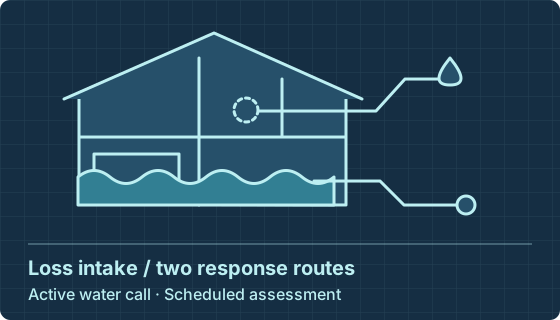
Interactive example · Fictional requests
Try these fictional emergency calls and assessment requests. Compare what a property manager sees with what the duty coordinator needs before booking a visit.
“Water has reached two ground-floor units. Is anyone taking calls tonight?”
“The water is gone, but one room smells musty. Can somebody assess it next week?”
Choose a job and who’s available. The sample website and office ticket change together. This preview sends nothing.

Check the posted response hours and whether dispatch covers your address.
There is no overnight crew. Leave a request for the next staffed period if a callback will meet your needs.
Button previewOffice copy · Sample inquiry

Describe the affected area and who can arrange access. The assessor will confirm the visit.
Button previewOffice copy · Sample inquiry
Open your homepage on a phone with one hand. If a property manager has standing water on the first floor, can they reach the person on duty? A homeowner asking about a musty basement needs a different next step. We design those two journeys around how your team actually responds.
We check the emergency number at the top of the water damage page, after-hours routing and what callers hear if the line is busy. Your team confirms coverage and staffed hours before they appear on the site.
A mold remediation page can explain what happens at the first visit, which buildings you serve and what the caller should have ready. A short assessment request can go to the estimator while urgent water calls go to dispatch.
Map service areas to dispatch coverage. Review call outcomes with the coordinator so an out-of-area call, an assessment booking and a crew sent to a job appear separately in your reporting.
Before replacing a restoration company website, inventory water damage restoration, fire damage and mold pages actually offered. Check existing search traffic, preserve working addresses and test redirects on mobile.
Try the contractor website from a phone during a shift change. Can a caller find emergency restoration services for the right ZIP without opening a menu? Check that a tap reaches the posted destination and the office can see who owns a callback.
Showcase one approved job that potential clients can recognize, such as drying a ground-floor retail unit. Name the service performed, what the crew handed back and which details the owner cleared for publication. Link that account to the matching service area and inspection route.
Start with one question about the user experience. Can a property manager reach the right branch at a shift change? For disaster restoration companies with multiple crews, we test the existing site and new site against the same duty roster.
Walk through a weekday, evening and weekend inquiry with the dispatcher. Confirm emergency restoration services and coverage before advertising 24/7 response.
We quote the pages, mobile design, SEO migration, forms and any integration. A disaster restoration contractor covering commercial losses needs different copy and routing from a residential drying specialist.
Call a test destination and submit an assessment using fictional details. Review the receipt, coordinator notification and duplicate handling before the production number or inbox goes live.
Compare the scope against a job your team would actually take. Ask the designer to demonstrate the request on a phone and trace its delivery to the office.
Explore our local SEO services ↗Use Search Console and your current service list to map old pages to meaningful destinations. Check the business name, hours and service area against your Google Business Profile. Search placement and call volume still depend on what happens after launch.
Use permission-cleared photos with an accurate description of the loss and the work performed. Confirm that customers, addresses and claim details can be shown. The office approves any certification, insurer relationship or response-time claim before publication.
We scope the work after seeing your intake process. A WordPress template for one office involves different work from a new site for several branches with rotating emergency numbers. Ask for separate prices for design and development, moving the existing site, and ongoing optimization. The written quote identifies milestones, price and who owns access.
Look for a town where search impressions and calls are growing, then ask dispatch how many callers the crew could actually serve. A recurring mismatch with the duty roster points to a coverage problem. Expand a location page only when the team confirms it can take those jobs.
Separate cleanup work that calls for an immediate response from services that start with a scheduled inspection. A water damage restoration website serving residential and commercial properties may also need a fire restoration page if the contractor offers it. Clear calls to action help local customers reach the right person from search results.
Test a request mentioning two buildings and a second-floor loss. Compare the AI draft with the original for address, unit, loss type and callback contact. Flag any missing or conflicting detail for the coordinator. A draft must never assign a crew or supply a response time.
Ask for separate figures for emergency calls, booked assessments and restoration jobs accepted. Search engine visibility and local SEO impressions help explain discovery; follow the booking record to see whether the website reached a serviceable property. Compare these measures when assessing a lead generation or digital marketing proposal.
Bring the numbers printed on vehicles, posted on online platforms and stored in your Google Business Profile. Verify ownership and forwarding, then call each destination with the office present. Preserve useful pages on the existing site. Where a service moves, test the redirect and the contact info on the new destination.
Show the territory you can serve, the hours someone answers and an approved project with a brief account of the cleanup. Name a certification only if it applies to your team and the service described. For commercial properties, explain who may authorize entry. Those details help a property manager compare service providers.
Try to find the duty number on a phone with one hand. If a chat box covers the number or asks questions before showing it, remove it from that page. Test the nonurgent assessment page separately, where potential clients may have time to describe access.
Send the URL, the service you want to grow and the route an evening call should take. We’ll scope the review by email.