A small business website redesign process built around one real job
Tell us what you want a customer to find, request or book. PracticalMode follows that job from the first search to the person who handles it. Together we choose what to change, what it will cost and how your team will test it.
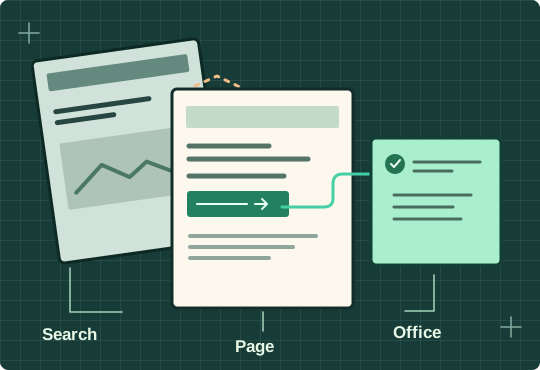
Where should your small business website redesign start?
Choose the problem you recognize. You’ll see a sample brief, the first test we’d run and a starting note you can adapt for your business.
Four stages of the website redesign process
Ask for one piece of work you can approve at each stage. Agree who signs off the website design, then involve the scheduler who will rely on it. A good website for your business has to work on both sides of the inquiry.
Audit the current site and agree on the brief
The website audit follows a customer task through the site and office. We record the analytics baseline and map the pages to keep, improve or retire. You approve the business goals, scope of the project, price and milestones.
Review the sitemap and working page
The sitemap shows where your products and services belong in the navigation. We prototype one page and its contact path. Your owner checks the claims and photos. Your scheduler tries a request on a phone before the design is repeated across the new website.
Build, migrate and rehearse
We check mobile navigation, forms, redirects and analytics. Your team receives a test inquiry at the agreed destination. Before we build the website out across every service, the owner signs off the prototype. Before launch, the office verifies the finished paths against it.
Hand over and verify
We document publishing access, edit responsibilities, the URL map and the inquiry test. If search engine rankings change, that record helps you distinguish a broken redirect from a page that needs time or better information. After launch, verify the public pages and the office handoff. Use the agreed baseline when deciding what to improve next.
A website refresh or a redesign? Compare the scope of the project
Small business owners can ask for both scopes using the same customer task. A working booking form, useful service copy and a familiar brand identity may all be worth keeping. A redesign does not have to mean starting from scratch.
Try a keep, change or retire decision
Suppose a roofer adds a second estimator. The repair page gets relevant calls, but every request still goes to one inbox. Keep the address and service description. Change the routing and test each territory. Retire outdated content about the old service boundary. The business needs a better handoff here, even if the visual design still works.
- Refresh one path
- Your service pages attract the right website visitors, but an outdated phone number or confusing form costs the office callbacks. Fix the content, mobile user experience and routing, then test that path.
- Redesign the structure
- Several services share a catch-all page, the navigation hides what customers need, or ordinary website updates require a developer. Prototype a better structure and compare the cost of migrating with the cost of patching the current site.
- Check the conversion rate
- Divide visits that produced at least one confirmed inquiry by all visits that started on the page in the same period. Count each visit once. If you cannot match visits to office records, report Google Analytics visits and received inquiries separately. Bounce rates and phone taps alone cannot tell you who booked.
Small business website design mistakes to catch before launch
Ask two website designers to show the same service page on a phone. The differences that matter often show up after the first tap.
- The menu follows the org chart
- Imagine a homeowner looking for a sewer inspection under “Operations.” Try “Sewer inspections” as the navigation label. In a UX design review, give a colleague the task without telling them which link to choose. Record where they look first.
- The portfolio hides the service
- A full-screen gallery can make a strong first impression while pushing the service area and staffed number below the fold. Keep the brand colors and one photo of the actual work. Check that the next action is easy to read in daylight and that website performance holds up on a slower connection.
- The proposal shows screens but skips form behavior
- Ask what the custom web design changes for the customer. Have the agency demonstrate one required field, one optional field and the confirmation message before you approve the new website design. Write those three behaviors into the website redesign checklist so the office can repeat the test after launch.
Questions to ask a web designer about SEO, conversion and handoff
Bring the web designer one page, a real customer question and the name of the person who usually answers it. Ask to see how the proposal handles that exact job.
How will the redesign protect pages people already find?
Search engine optimization starts with knowing which page already earns useful visits. Build the content strategy around the jobs you want to repeat. If the drain-cleaning page still serves the same purpose, keep its address. If you retire it, choose the closest equivalent before launch. Search engines, bookmarks and links from suppliers may still point to the old address.
Open the website redesign SEO checklist
- Record the baseline. List the page URLs and search queries that already bring useful visits. Save their Search Console clicks and any eligible inquiries the office can verify, with dates.
- Map old pages to new ones. Keep a working URL when its purpose stays the same. If it must change, identify the closest equivalent page and record the permanent redirect.
- Test the live migration. Open the old URLs and verify the redirects reach the intended pages. Check each new page’s canonical URL and confirm the sitemap lists the live addresses.
- Compare after launch. Review clicks on the affected pages against a comparable period, alongside received inquiries and booked work. Note seasonal changes or missing attribution before assigning credit.
What sets the website redesign timeline and cost?
In a quote, web design should identify the layouts, navigation and prototype you’ll approve. Web development should identify what gets built and tested, including form routing, redirects and integrations. A multi-location migration needs more coordination than a single service page. Agree who supplies content, when the owner can review and when dispatch can rehearse. Put an owner and date beside each milestone. For a website overhaul, ask which sections can launch independently. A new service can have its own release when its copy, redirects and receiving team are ready. Shared navigation or a booking integration may need one coordinated launch.
Who owns website updates after handoff?
Ask the web design agency to show an ordinary change with the access your staff will receive. Can you edit the hours, replace a service photo and restore the prior version? Identify who owns the domain, content management account, website files and analytics. Agree who fixes a failed form and which updates need a separate quote. Before signing off, have the office locate the recovery instructions for the domain and hosting account. Check who can authorize website updates if the usual editor is unavailable.
How will we tell whether the website redesign project supports business growth?
Start with one service you want more of. If web traffic comes from homeowners outside your coverage area, a busier inbox can mean extra work for dispatch. Agree on a useful outcome before comparing design companies. For example, track in-area estimate requests through to held visits, then compare them with the cost of the work. Tools like Google Analytics can show how visitors reached a page. Your office records show which jobs the crew accepted.
Which case studies show how the agency works?
Ask which design elements changed and what the team actually measured. Our foundation website field study counts the taps needed to reach an inspection form. That evidence can guide a layout decision. To know whether your own redesign helps generate leads, follow the form receipt into the office and compare eligible inquiries over the same period.
Use a website project handoff checklist
Before approval, have your office repeat the inquiry test in staffed hours and after closing. Record who owns form delivery and future fixes. Download the website handoff test sheet (TSV).
What should your website help a customer do first?
Send a page, the job you want and the handoff that needs attention.